Reporting an Incident
If something goes wrong on site you may need to report the incident. You can do this in the CheckProof app.
1
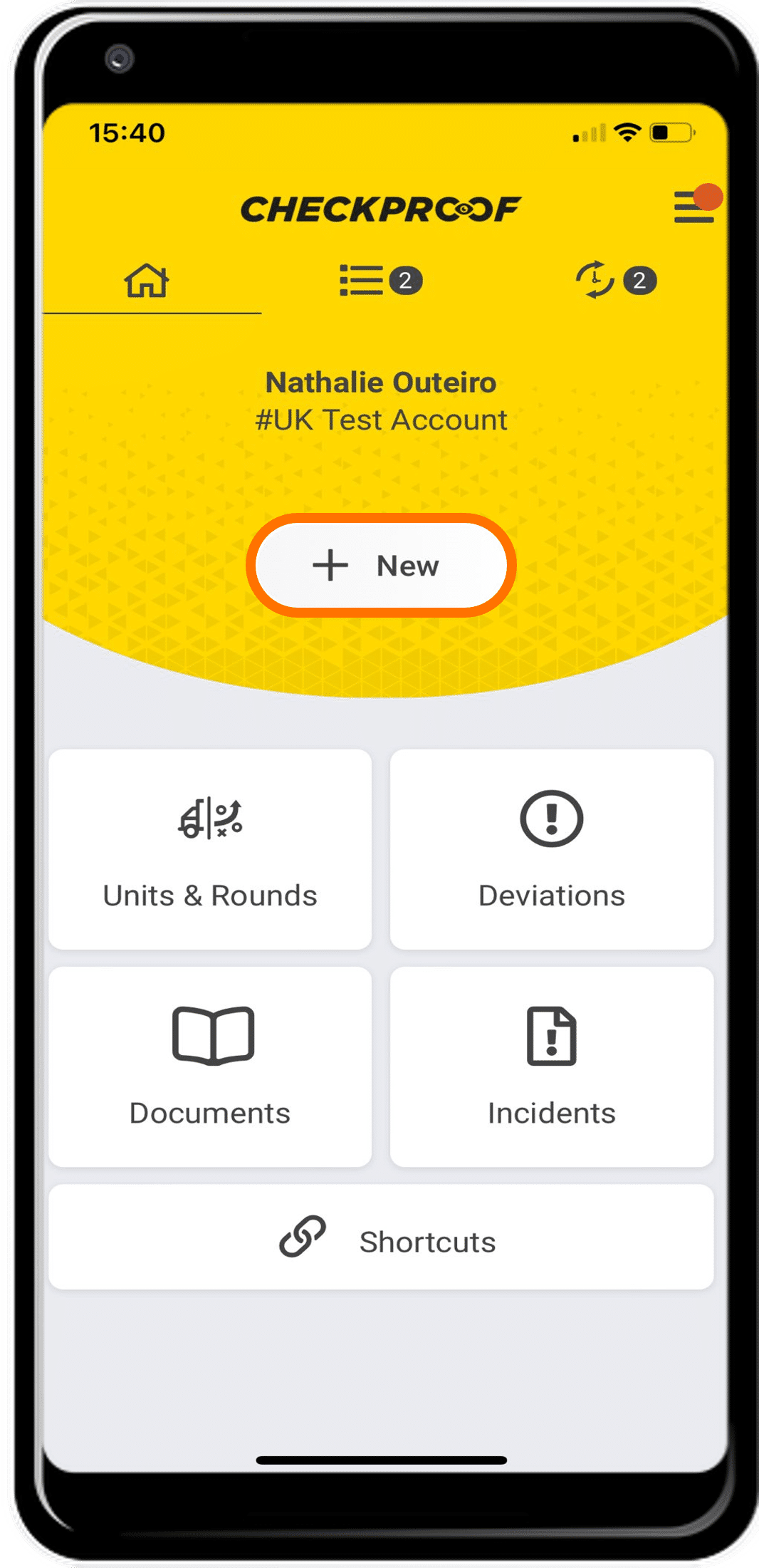
HOMEPAGE
From the homepage, click the “New” button.
2
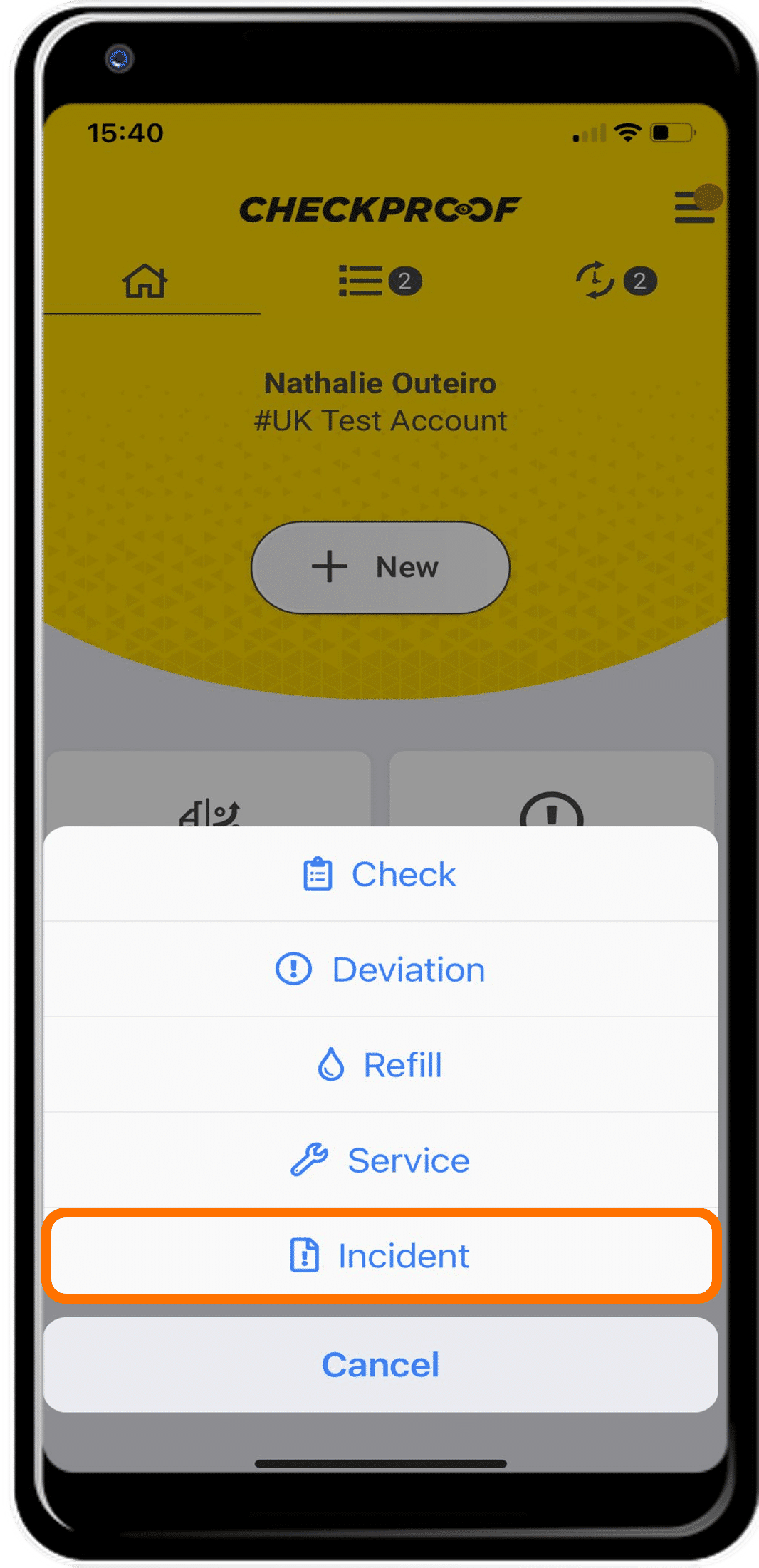
OPTIONS
When you see the list of options, you should select “Incident”.
3
TEMPLATE
You now need to choose a template from the list. These templates will vary depending on your workplace.
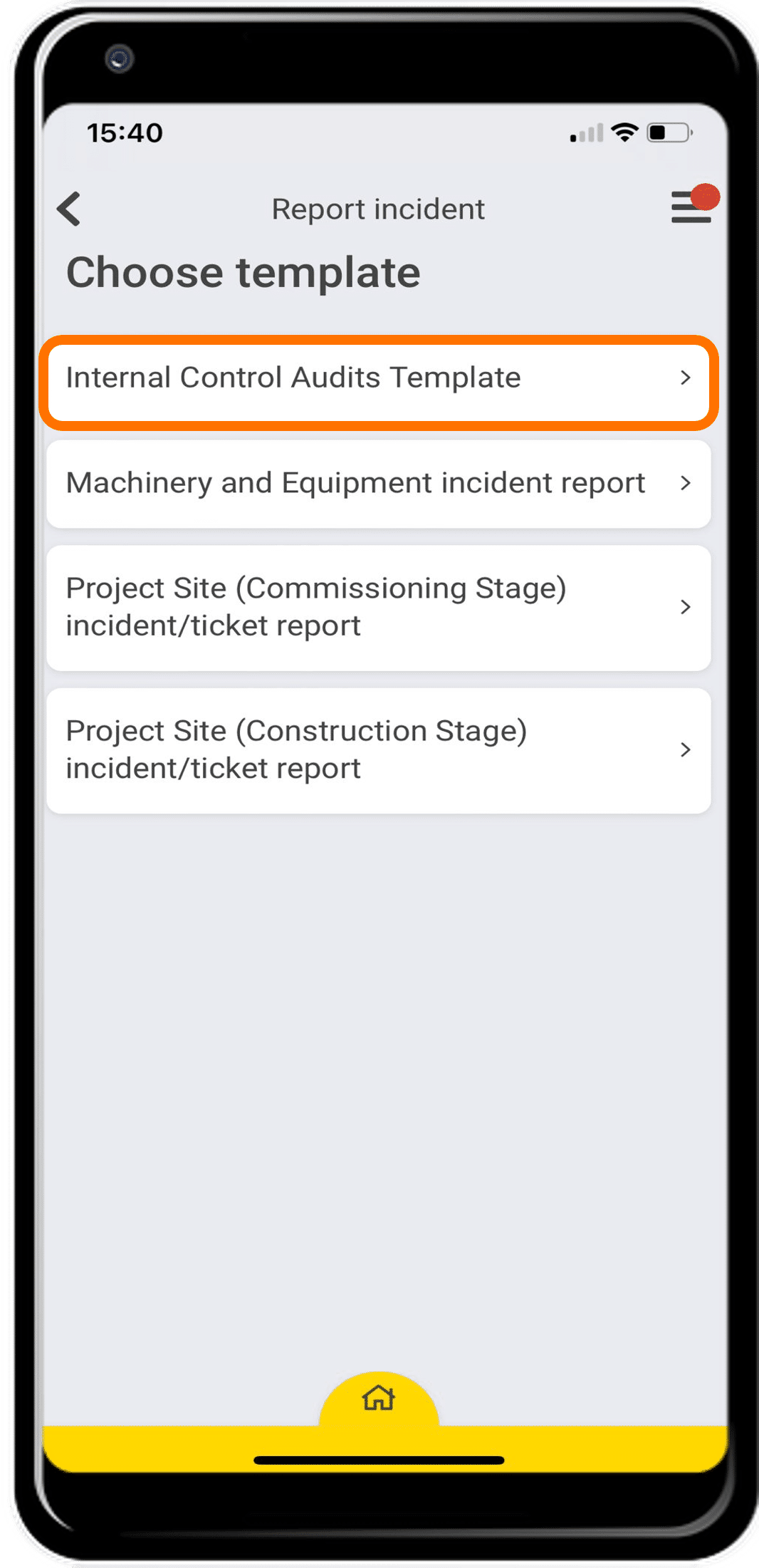
Templates must be created beforehand by an admin in the Admin Panel.
4
FORM
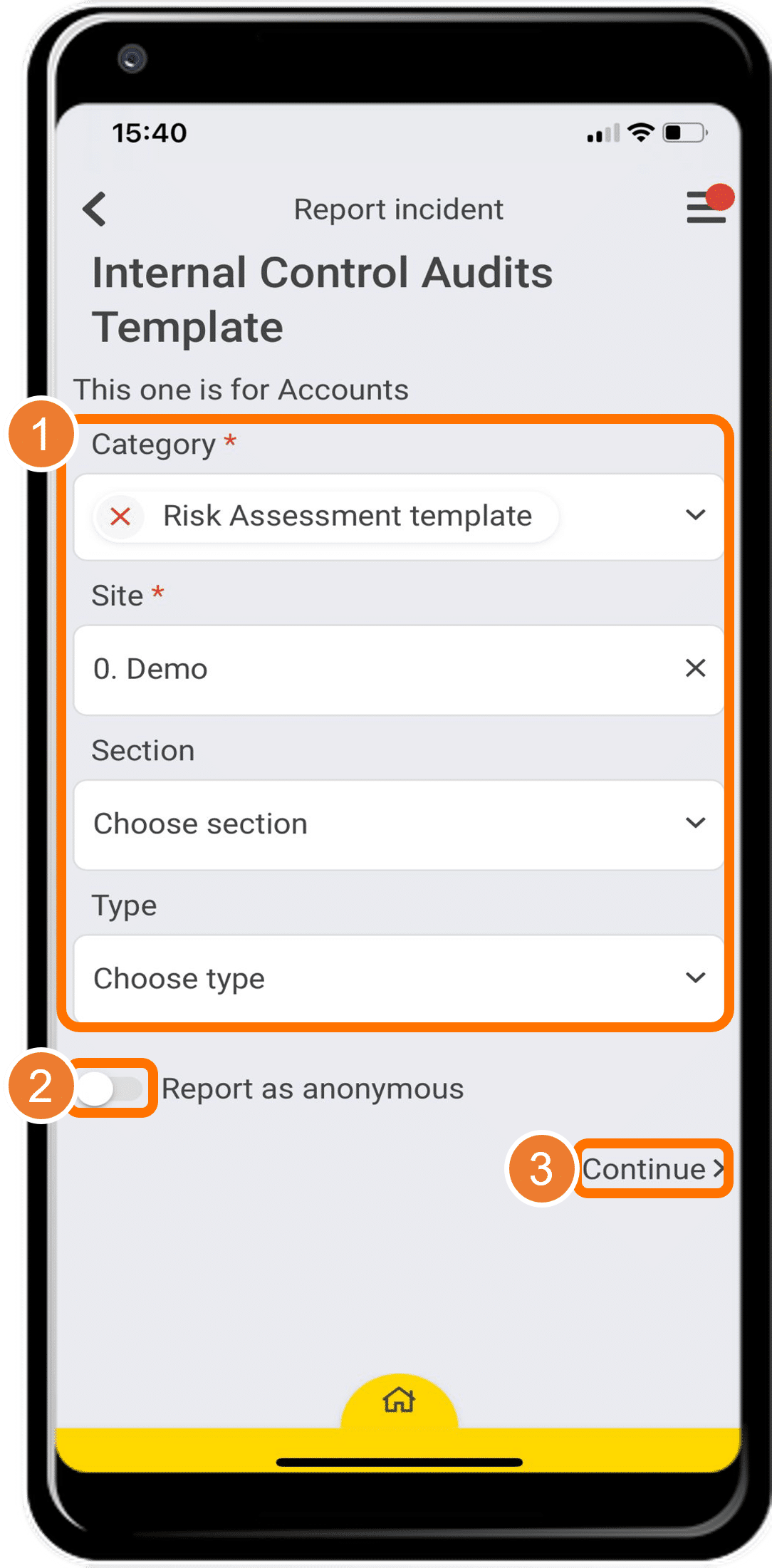
In this form you must choose an option for the “Category” and “Site” fields which are marked with an asterisk. The “Section” and “Type” fields, however, are optional.
Click “Continue” when you have completed the form.
Note: You can choose to submit your report anonymously by clicking the “Report as Anonymous” slider button.
5
LABEL
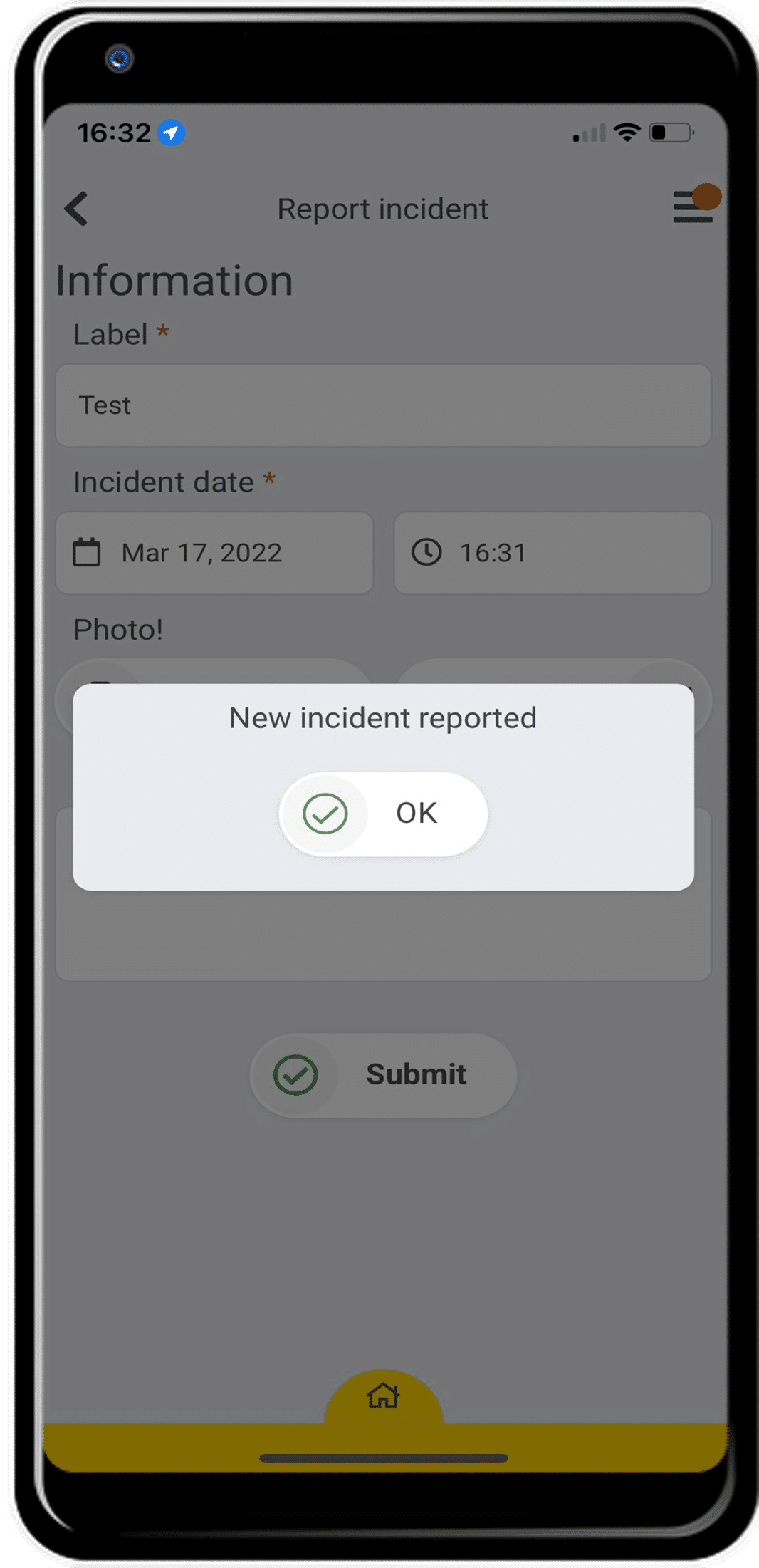
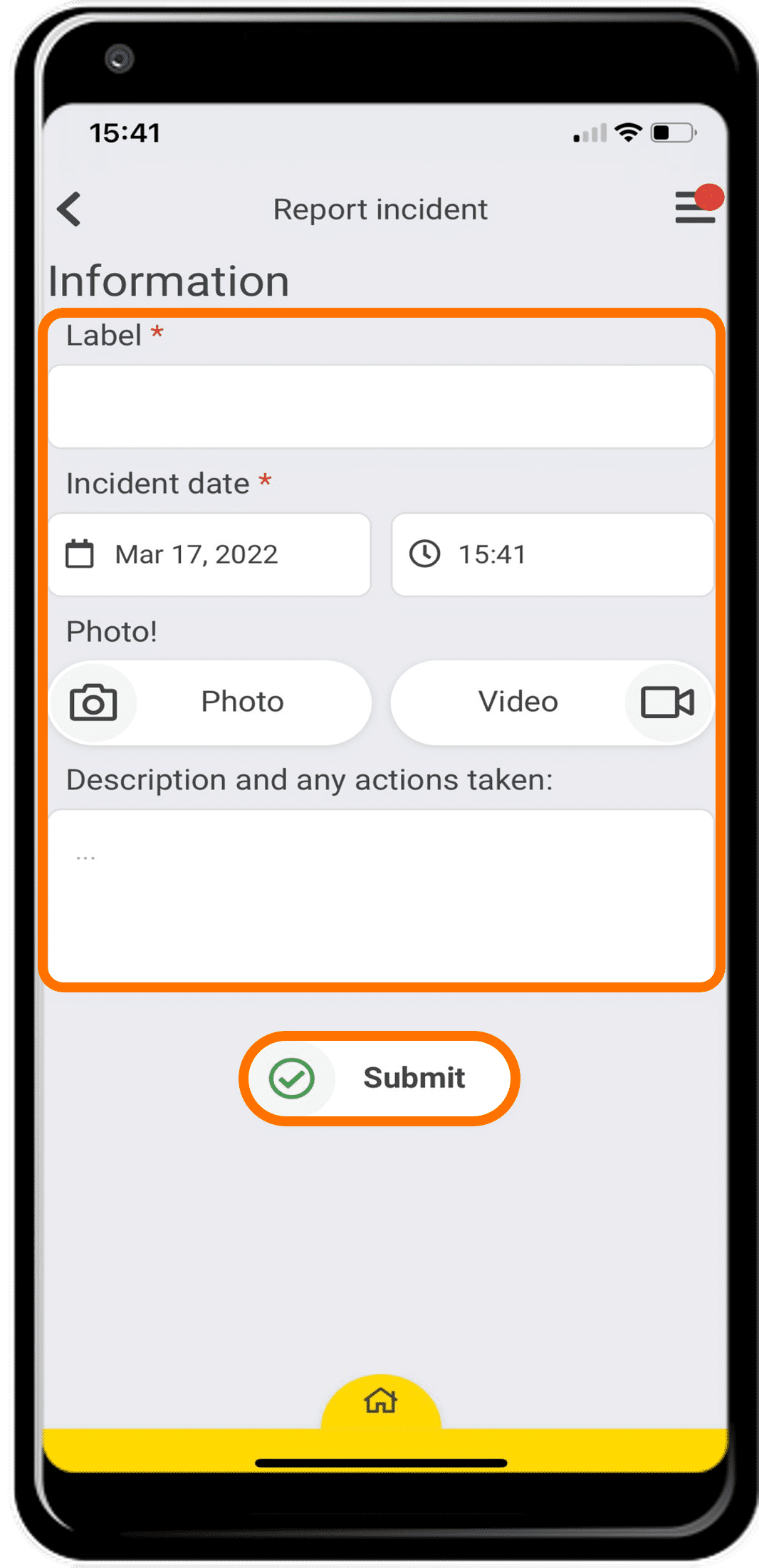
Enter any information that is relevant to the incident. You must complete the “Label” field by giving the incident a name, and the “Incident date” field.
When you are done, click “Submit”.
You are also able to add a photo, video, and description to provide more detailed information.
6
SUCCESS
Great! Now you know how to report an incident.