
My Tasks
Let’s learn how to view and filter your tasks in the CheckProof app.
My Tasks Menu
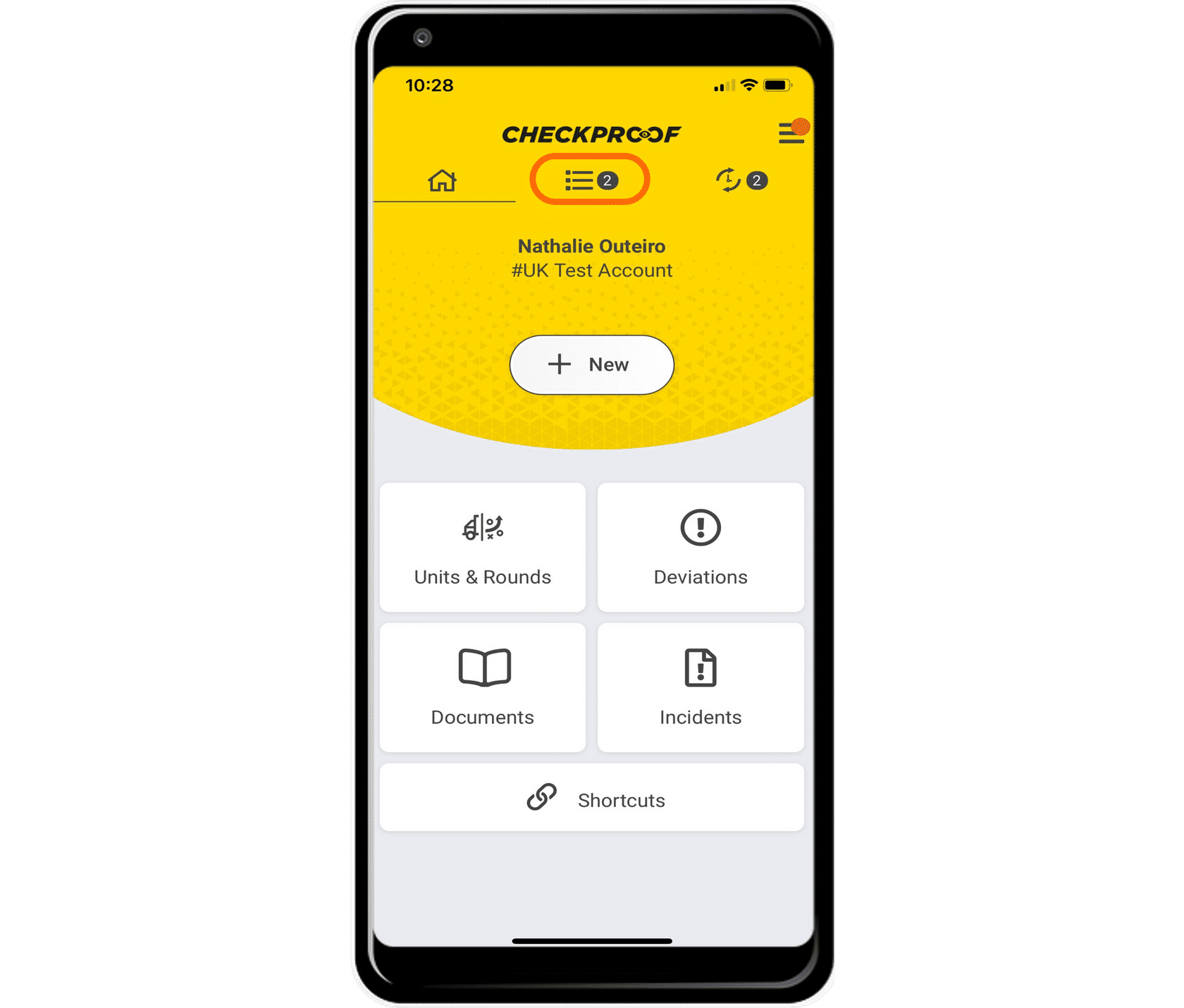
Any checks, deviations, and/or services that you are responsible for will appear in lists under my tasks menu, which can be found by clicking the list icon from the app homepage.
View
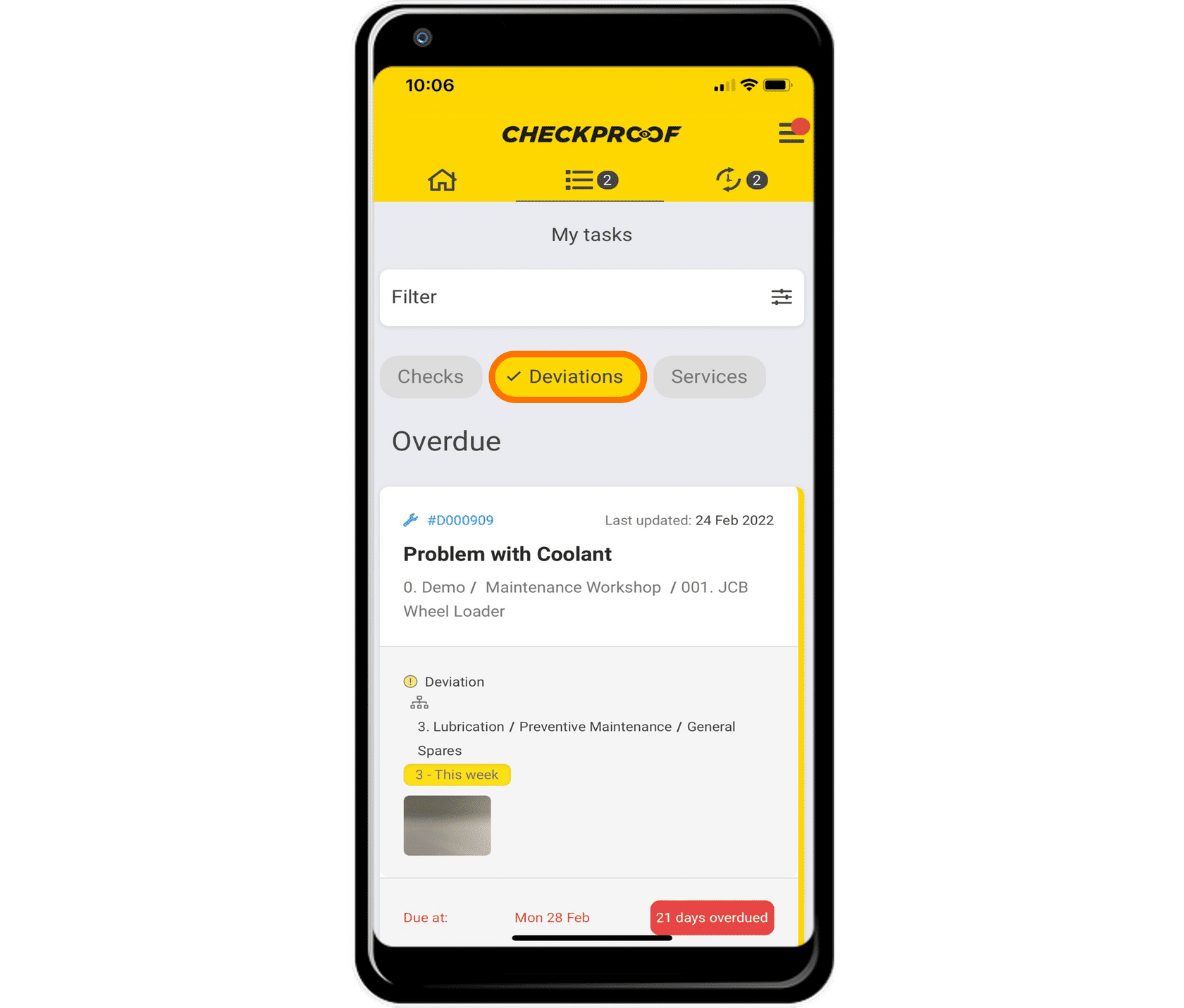
From the “My Tasks” menu, you can view all of your checks, deviations, and services. In this case, we have selected “Deviations” to view all active deviations.
If you do not have any tasks under checks, deviations, or services, that category will be grayed out (as seen above with “Checks” and “Services”).
Filter Your Tasks
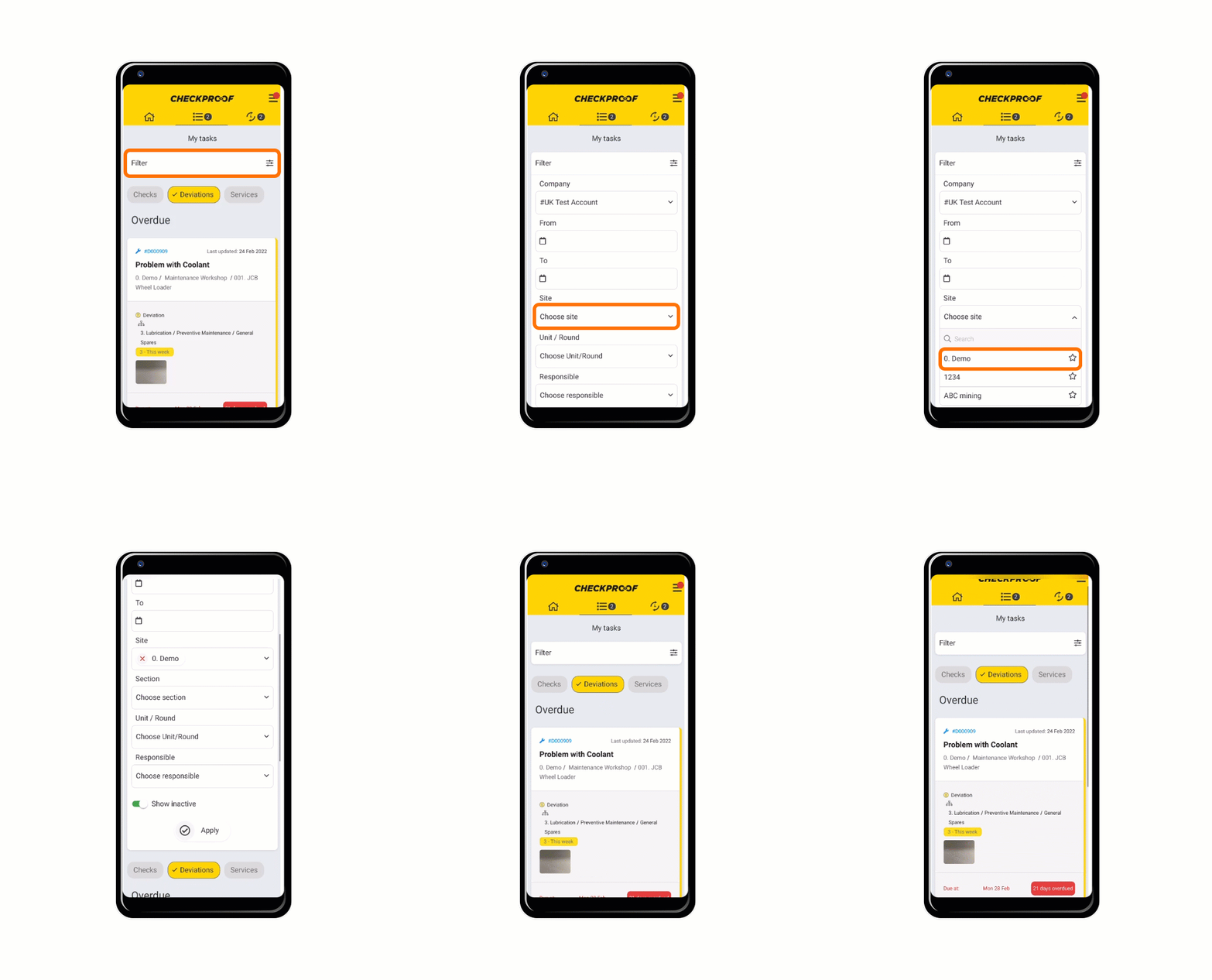
To filter your tasks, click “Filter” at the top of your screen. Then choose the field you want to filter your search by (in this case we have chosen to filter by site). When you are done, click “Apply”.
Great! Now you know how to view and filter your tasks.

