
Generating Reports
In this lesson we’ll take a look at how to generate a report of previously performed checks.
Reports
You can send different reports of the performed checks:
- Send a detailed report of the performed inspection.
- Send a list of performed checks.
1
Detailed Reports
You can get a PDF of the report or you can share the report with someone else by email.
PDF Report
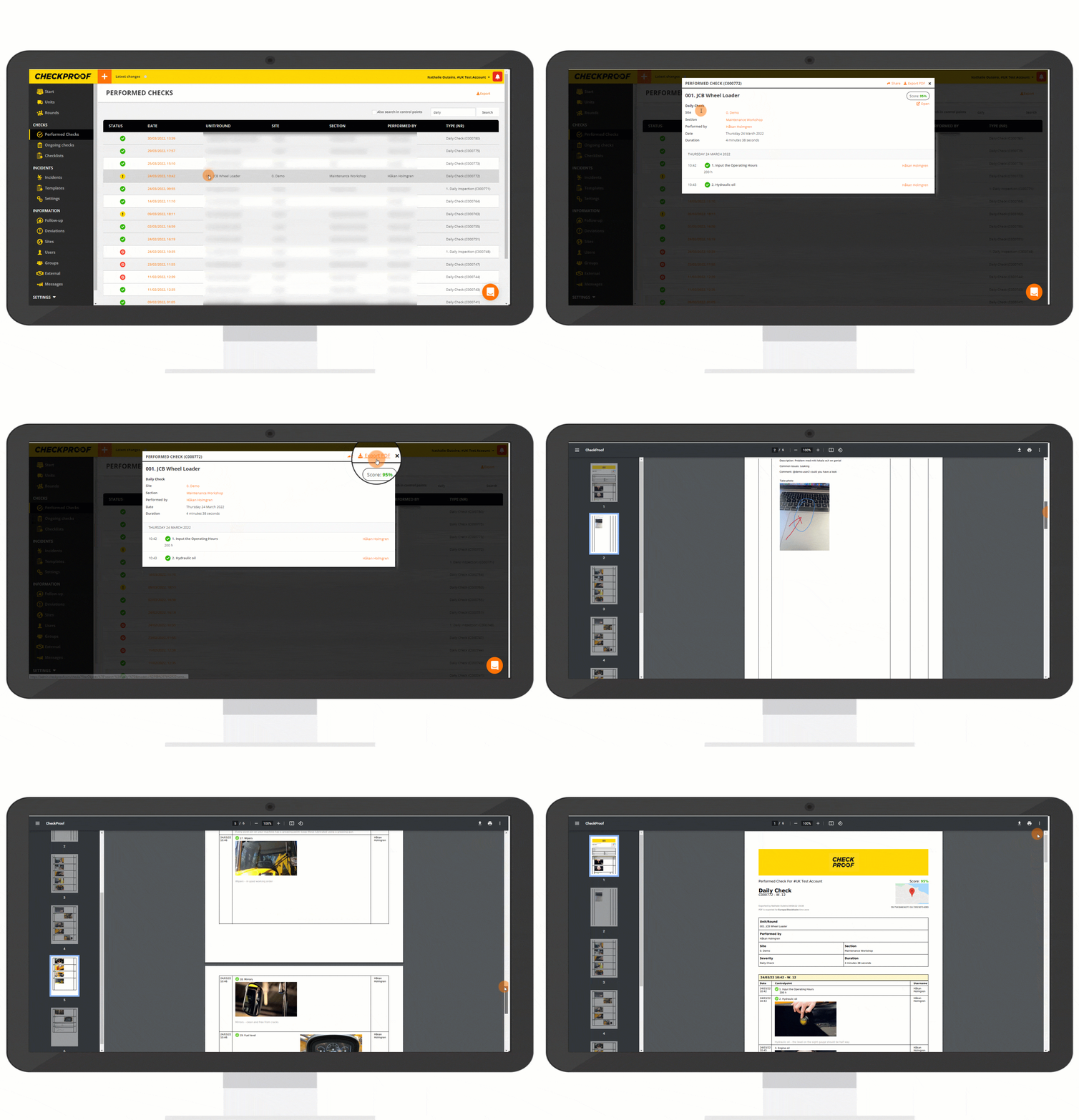
- Click on the check to open the report.
- Click on “Export PDF” to generate a PDF file of the report.
Share the Report
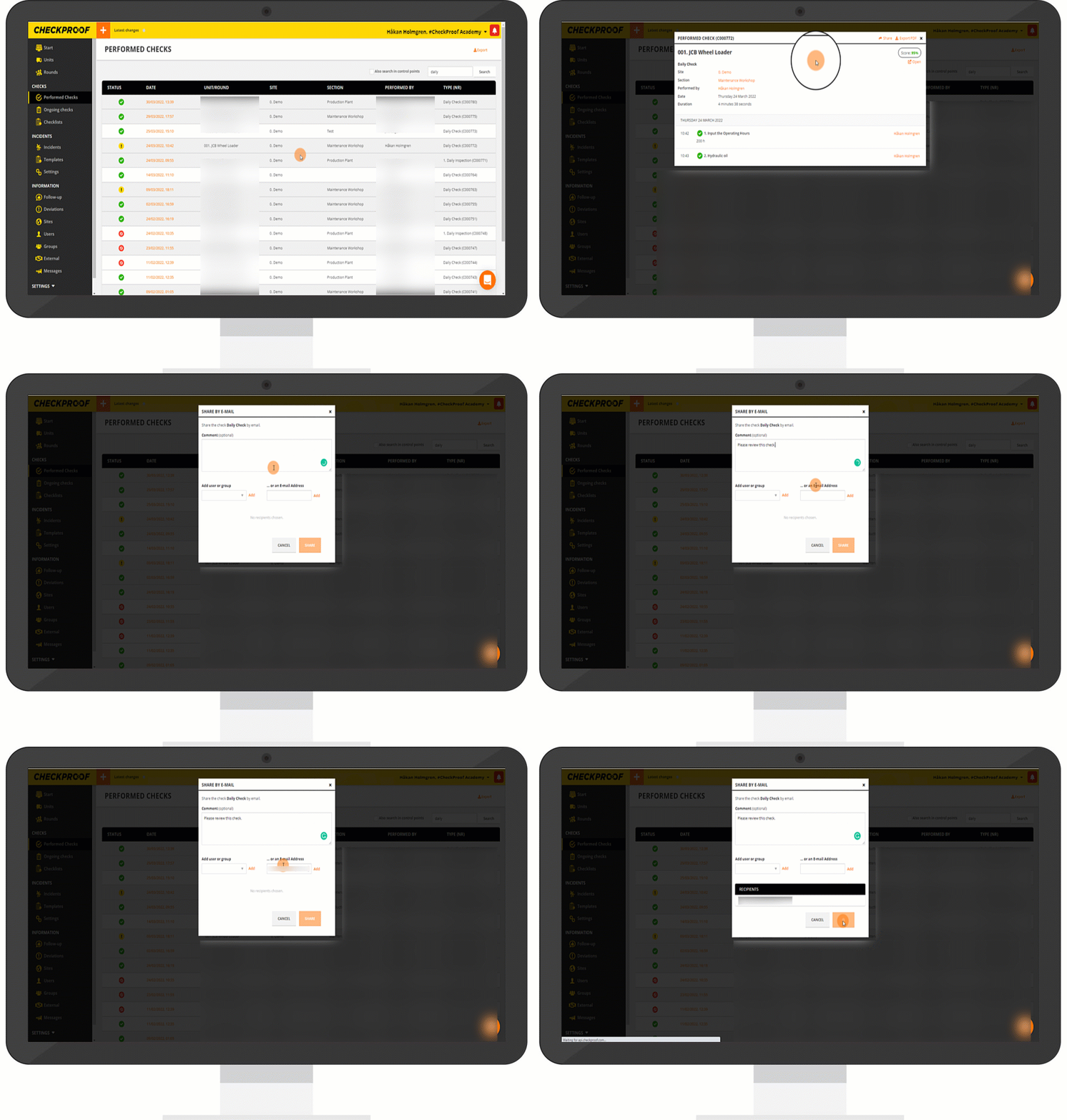
- Click on the check to open the report.
- Click on “Share” to generate a PDF file of the report.
- Type in a comment if you wish.
- Select the user, group, or enter the email address of the person you want to send the report to.
- Click on “Add” next to the user or their email address.
- Click on “Share”.
The report will be sent by email to the user you’ve entered with a link to open the report in CheckProof.
2
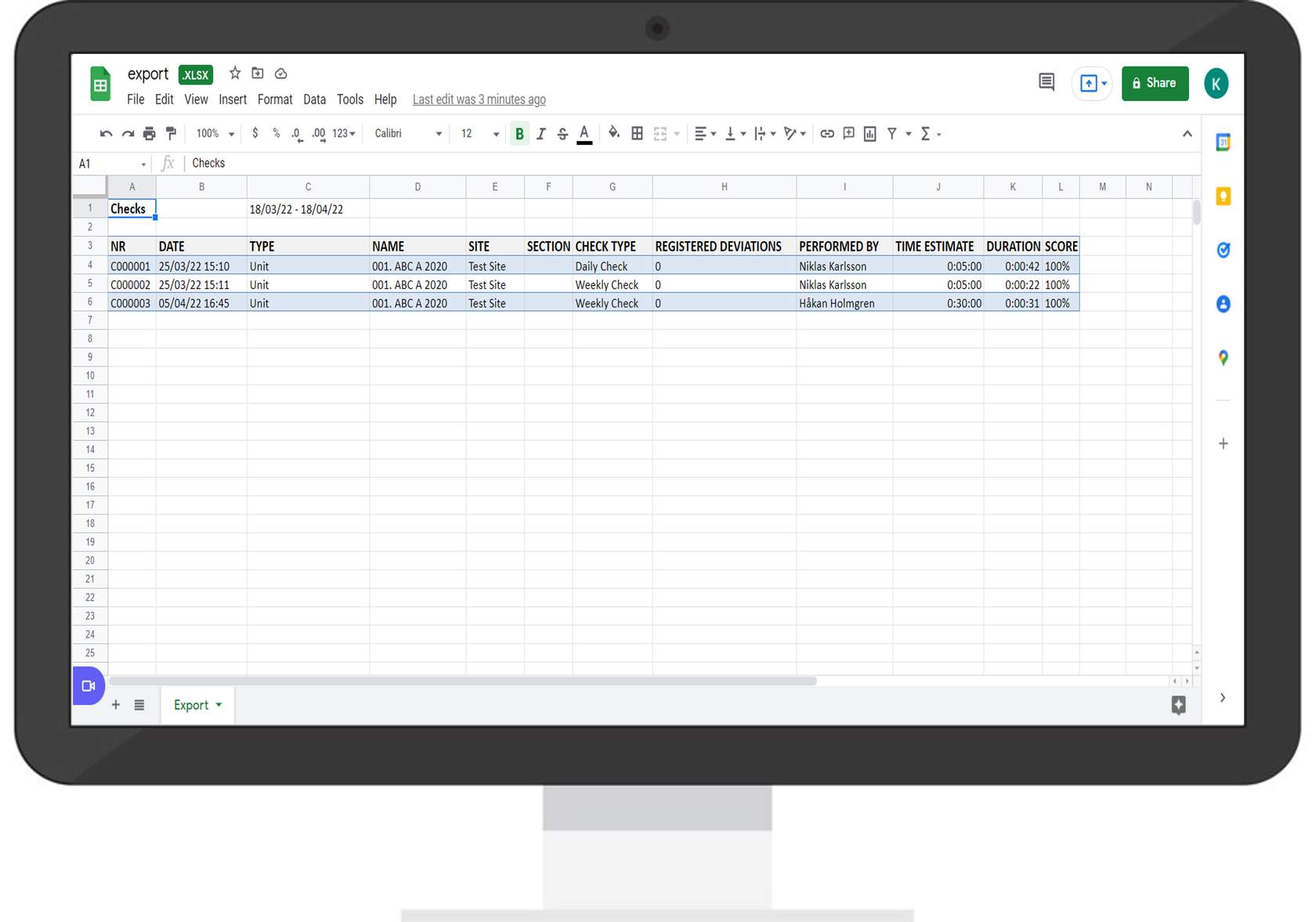
List of Performed Checks
List of Performed Checks
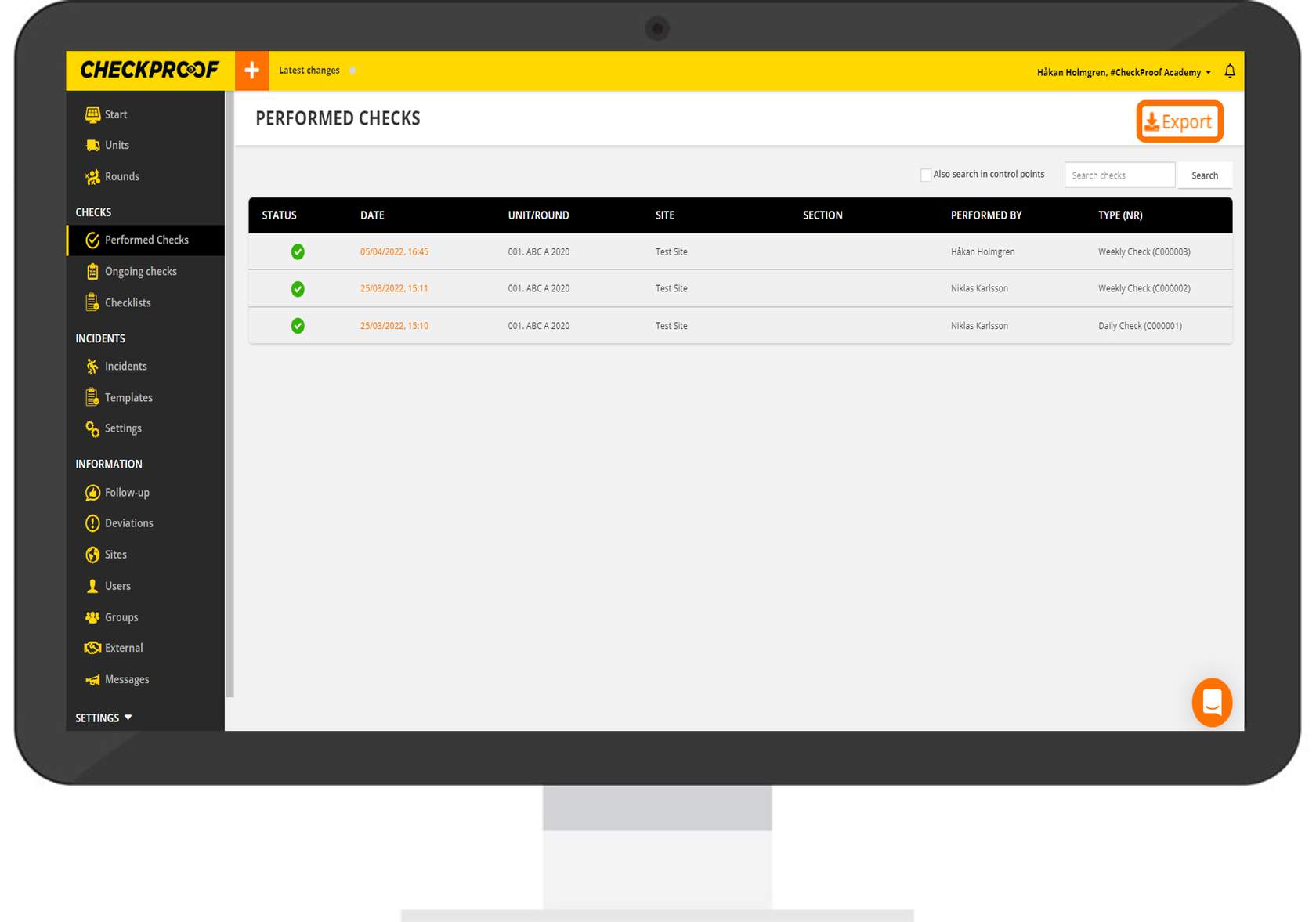
From the main view of the performed checks menu:
- First refine your search by using the search bar.
- Click on “Export”.
Refine the Search
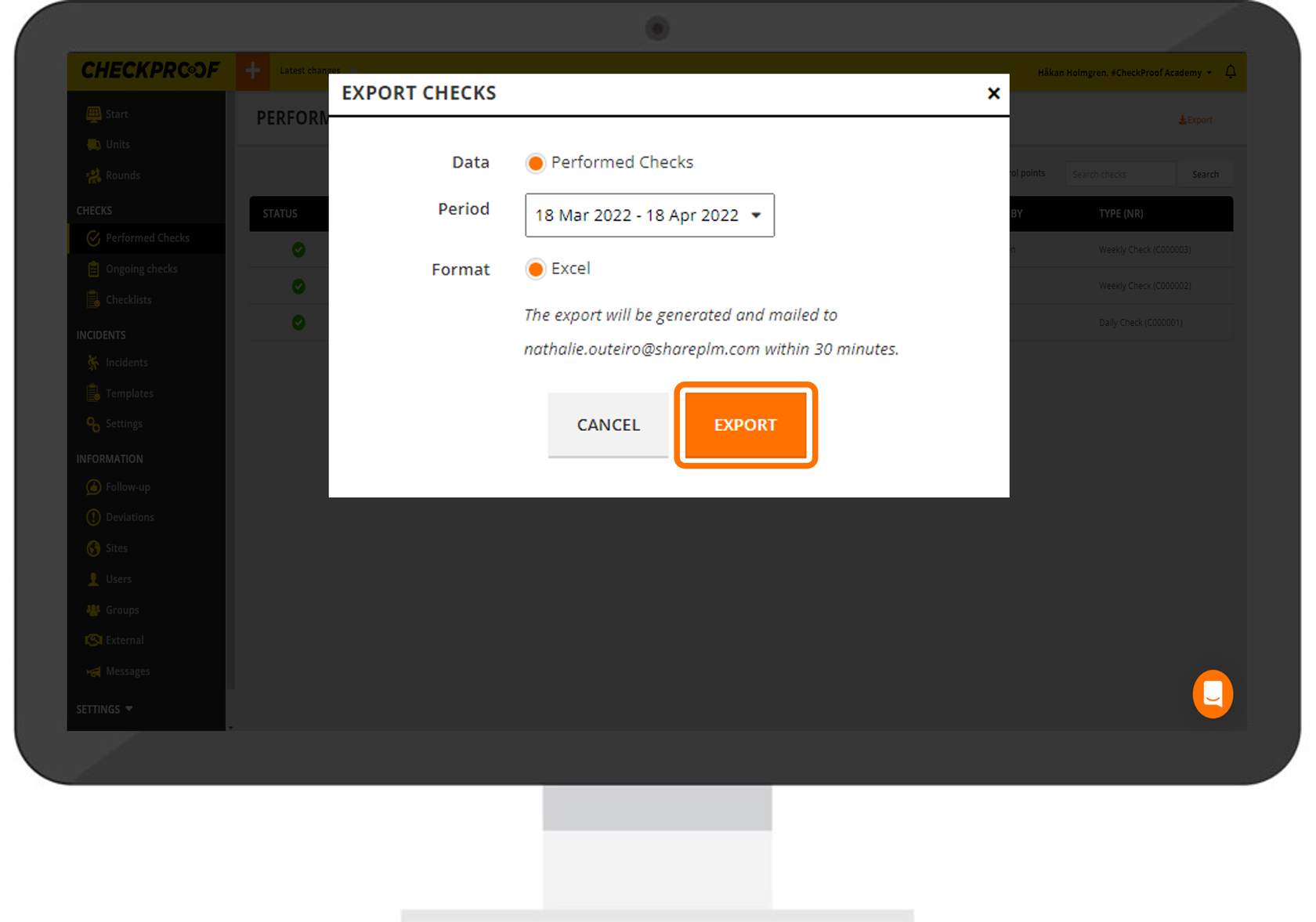
- Select the period of time of the performed checks you want to have reported.
- Click on the“Export” button.
The report will be sent to your email in an Excel format.
Great! Now you have your report.
Quizzes

