
Create Units
Creating a Unit
In order to be able to use CheckProof, a unit (asset) needs to be created. As soon as it is created you can start to add deviations and connect checklists to it
Creating an Unit
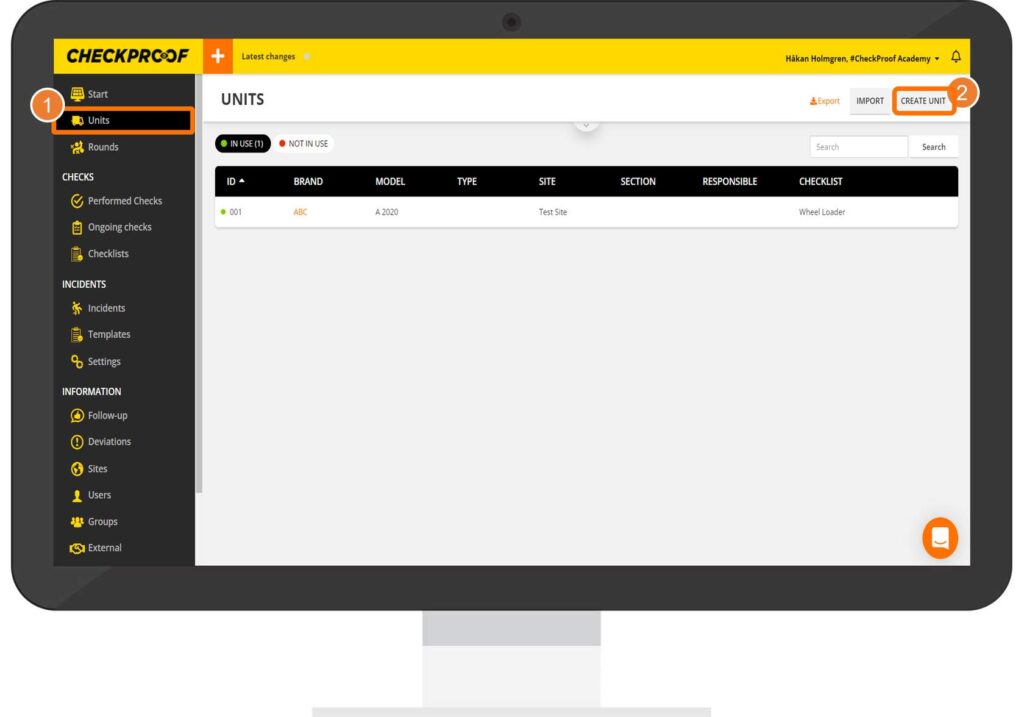
“To start creating a unit:
Click on “”Units”” in the side menu.
Click on “”Create Unit”” at the top right of your screen.”
Complete the Form
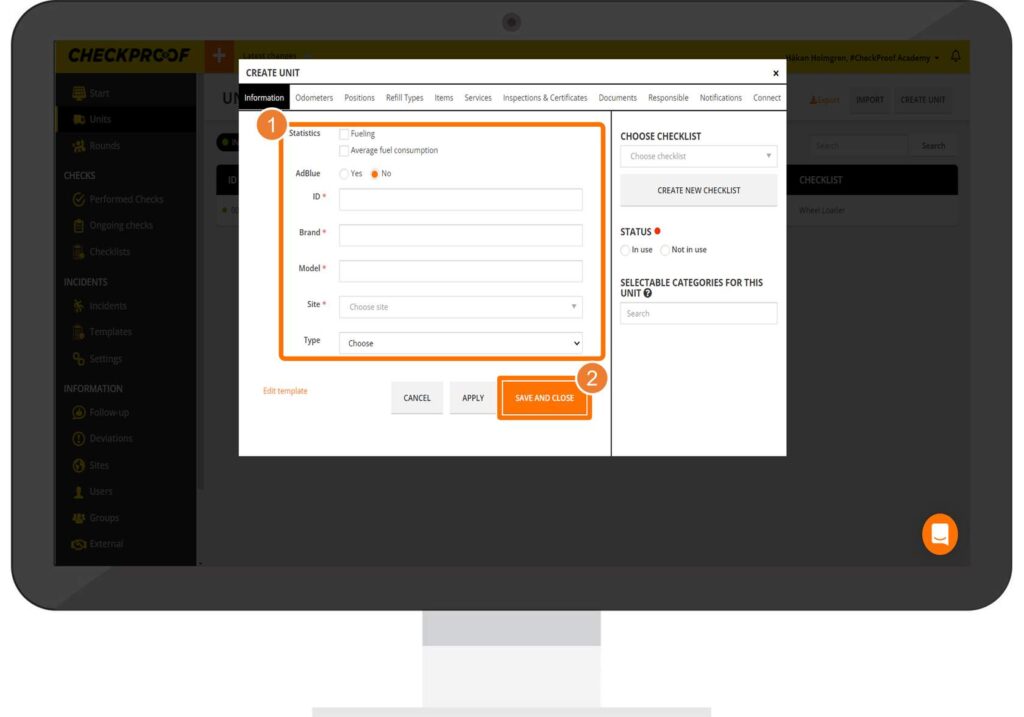
Complete the Form Complete the form with as much information as possible. The fields marked with an asterisk are mandatory. Once you’ve finished completing the form, click on “Save and Close”.

